Custom Client Portal with Real-Time Airtable Sync
Built a custom client portal that syncs with Airtable, giving 12 clients real-time project visibility and reducing support requests.
Custom Client Portal with Real-Time Airtable Sync
How I built a client-facing portal that transformed a Barcelona automation company's client experience—eliminating constant follow-ups and making them feel like a real enterprise.
The Problem: Clients Felt Left in the Dark
I joined a Barcelona-based automation company as an Automations Engineer. The team was building AI-powered automation solutions for 12 active clients, but there was a major problem: clients had no visibility into their projects.
Every day, the inbox flooded with the same questions:
- "What's the status of my automation?"
- "When will it be ready?"
- "Can you send me the files again?"
The CEO and his team were drowning in status update requests. Clients felt disconnected from the process. Some even questioned if they were working with a legitimate company because everything felt so informal.
The CEO was already managing projects in Airtable—it was his command center. He loved how user-friendly it was and didn't want to switch tools. But Airtable wasn't client-facing. There was no way to give clients secure access without exposing sensitive business data.
The challenge: Build a professional client portal that mirrors Airtable in real-time, giving clients transparency without changing the team's workflow.
The Solution: A Custom Portal That Syncs with Airtable
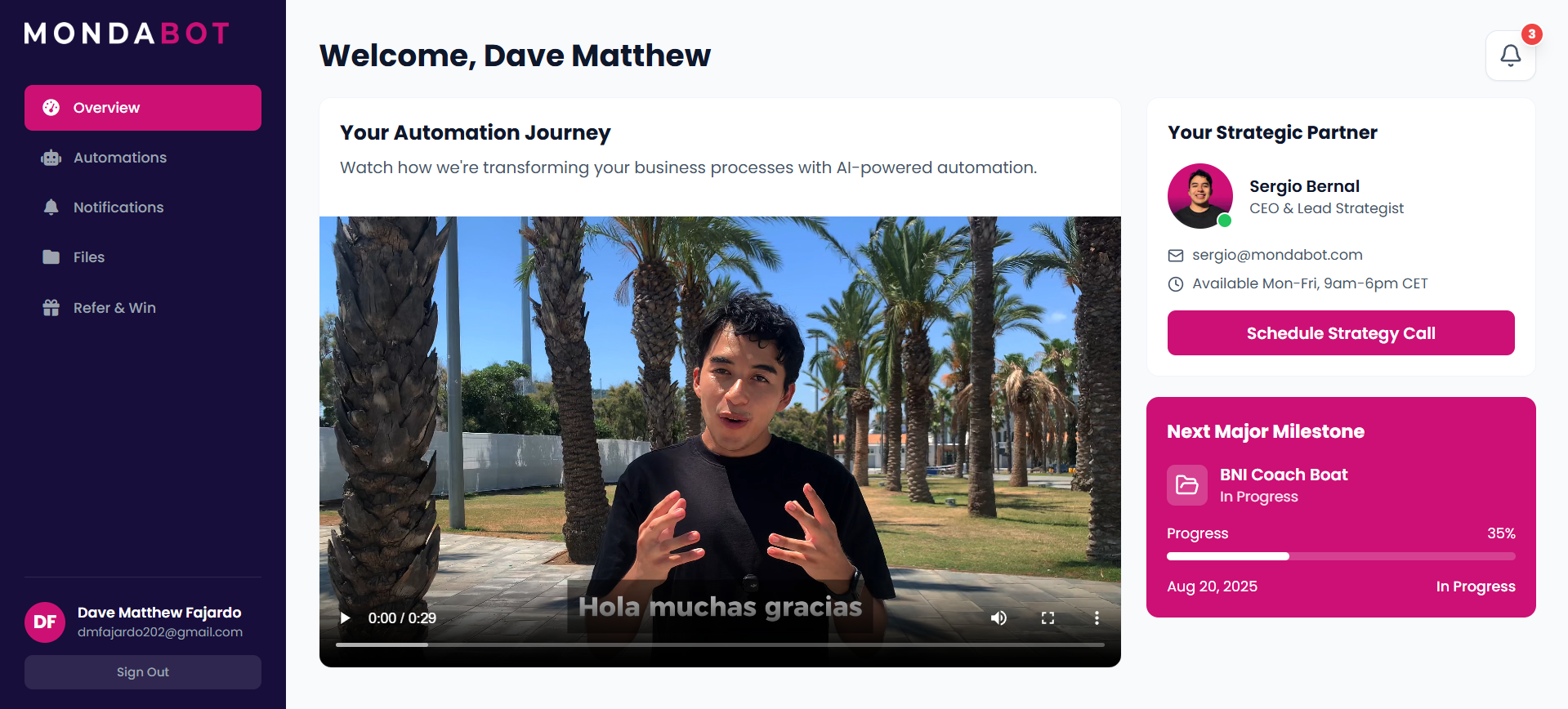
Personalized dashboard with video updates, strategic partner info, and live milestone tracking
I built a custom client portal from scratch that connects directly to Airtable. Here's what made it special:
Real-Time Sync Architecture
The portal acts as a live mirror of Airtable. When the CEO updates a project status or uploads a file in Airtable, clients see the changes instantly in their portal. No manual updates. No copy-pasting. No delays.
Here's how it works:
- The CEO manages everything in Airtable (his familiar workspace)
- Airtable webhooks notify the portal when data changes
- The portal fetches updated records and displays them to the right client
- Each client only sees their own projects and files—completely isolated
Built for the CEO's Workflow
The CEO wasn't technical. He didn't want to learn new software. So I designed the system around his habits:
- He keeps using Airtable exactly as before
- Changes appear in the portal automatically
- No training needed, no workflow disruption
- Full control stays in his hands
Clean, Professional Interface
Built with React and deployed on Railway, the portal feels like enterprise software.
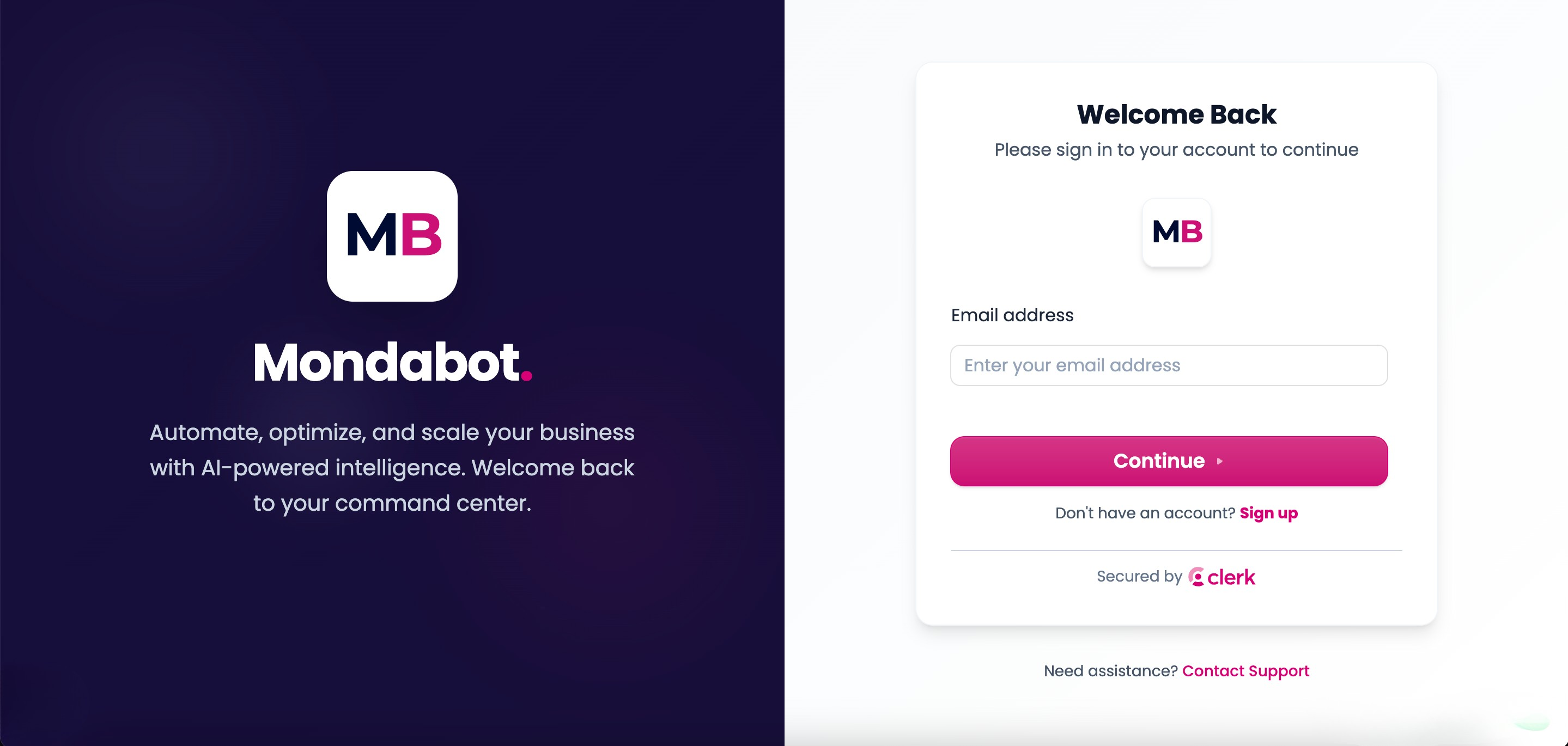
Professional login interface with secure authentication
Clients log in and see:
- Personalized dashboards with their name and dedicated partner
- Live project tracking with status pipelines (Planning → In Progress → Quality Control → For Review → Live)
- Document management with categorized files (Proposals, Reports, Invoices)
- Real-time notifications when project statuses change
Key Features Breakdown
1. Project Management Dashboard
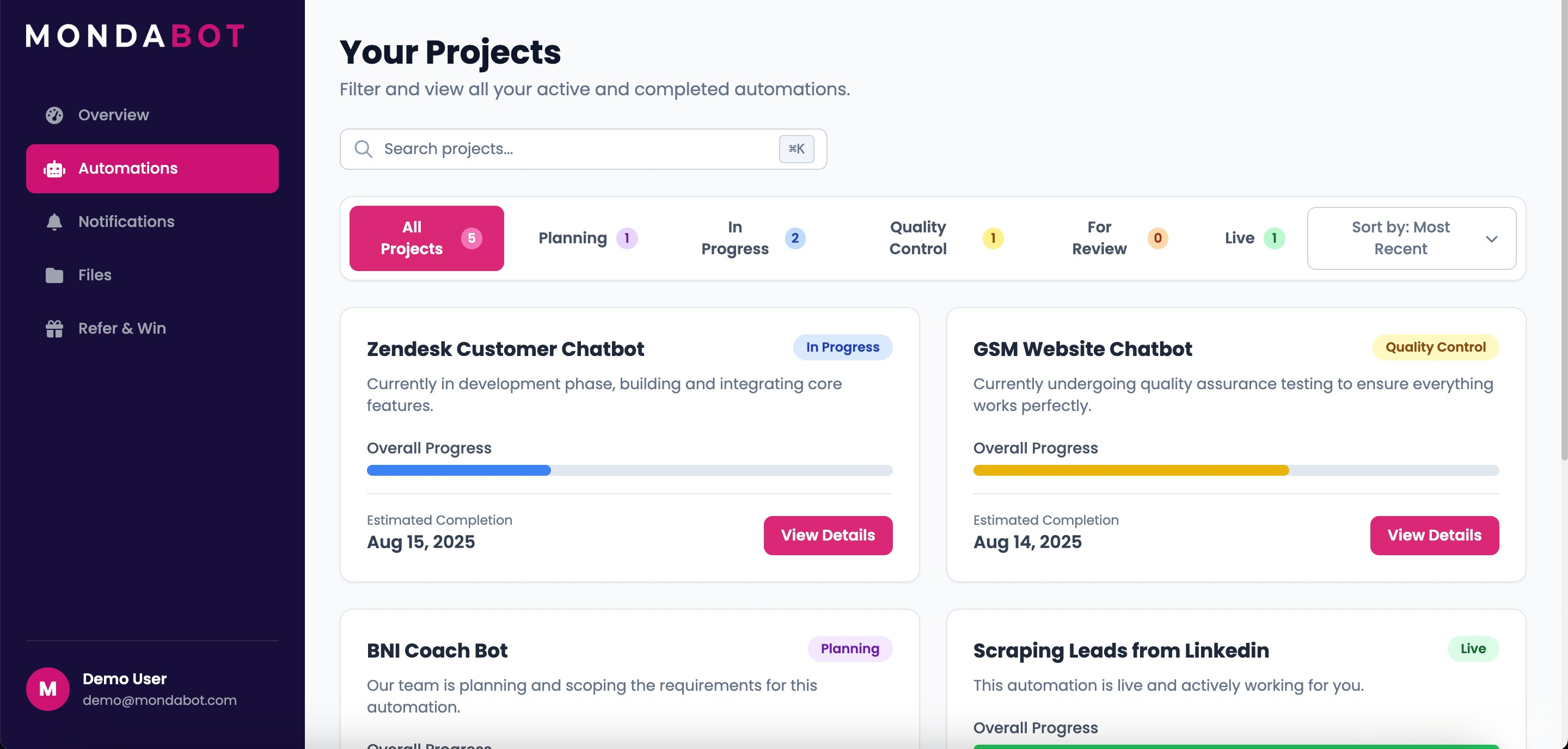
Clients can filter projects by status and see real-time progress with estimated completion dates
The projects page shows clients exactly where their automations stand. Each project card displays:
- Current status with color-coded badges
- Progress percentage
- Estimated completion date
- Quick "View Details" access
Projects flow through clear stages: Planning → In Progress → Quality Control → For Review → Live. Clients always know what's happening.
2. Smart Notification System
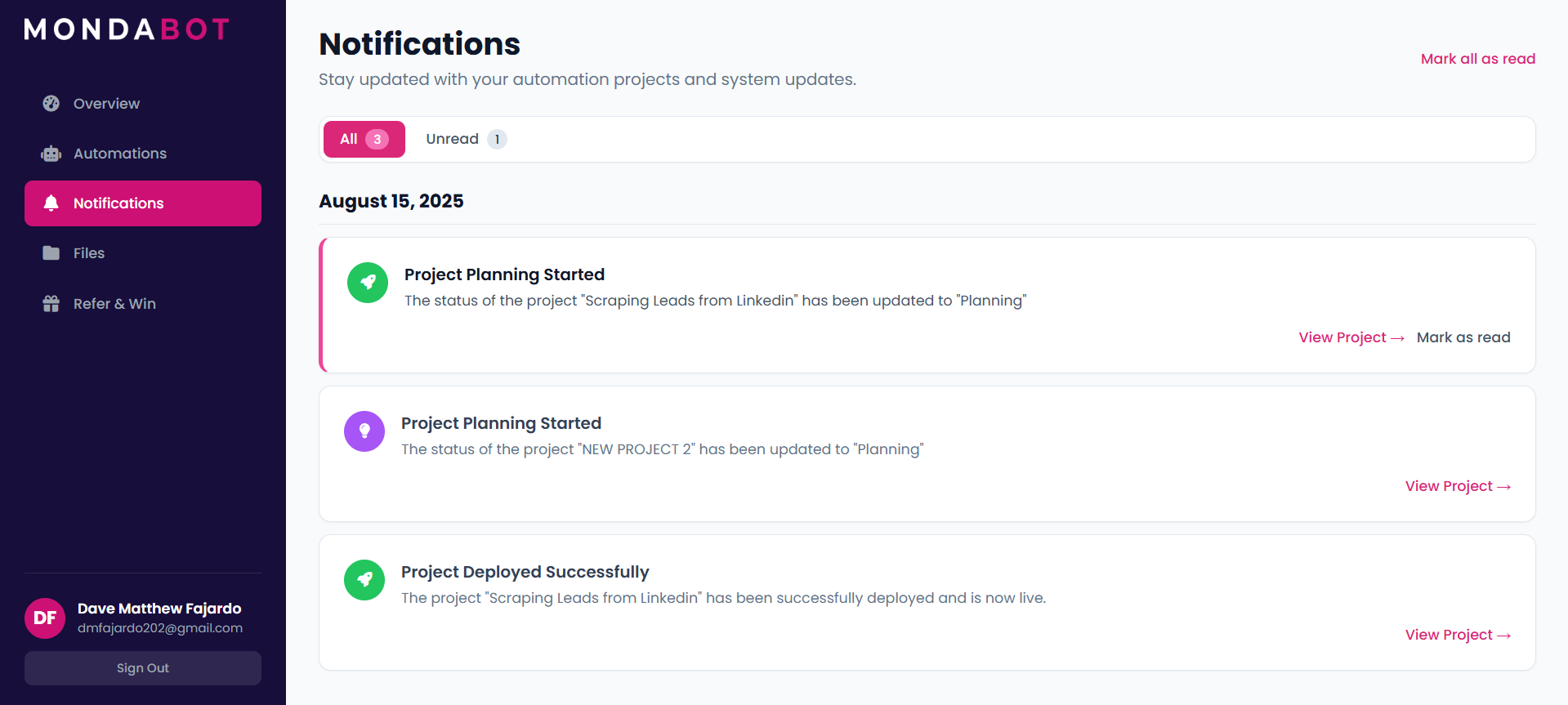
Automated notifications keep clients informed about project updates without manual emails
When the CEO changes a project status in Airtable, clients get instant notifications. No more wondering if progress is happening. The system proactively communicates:
- Status changes
- Deployment completions
- New files uploaded
- Important milestones reached
3. Centralized File Repository
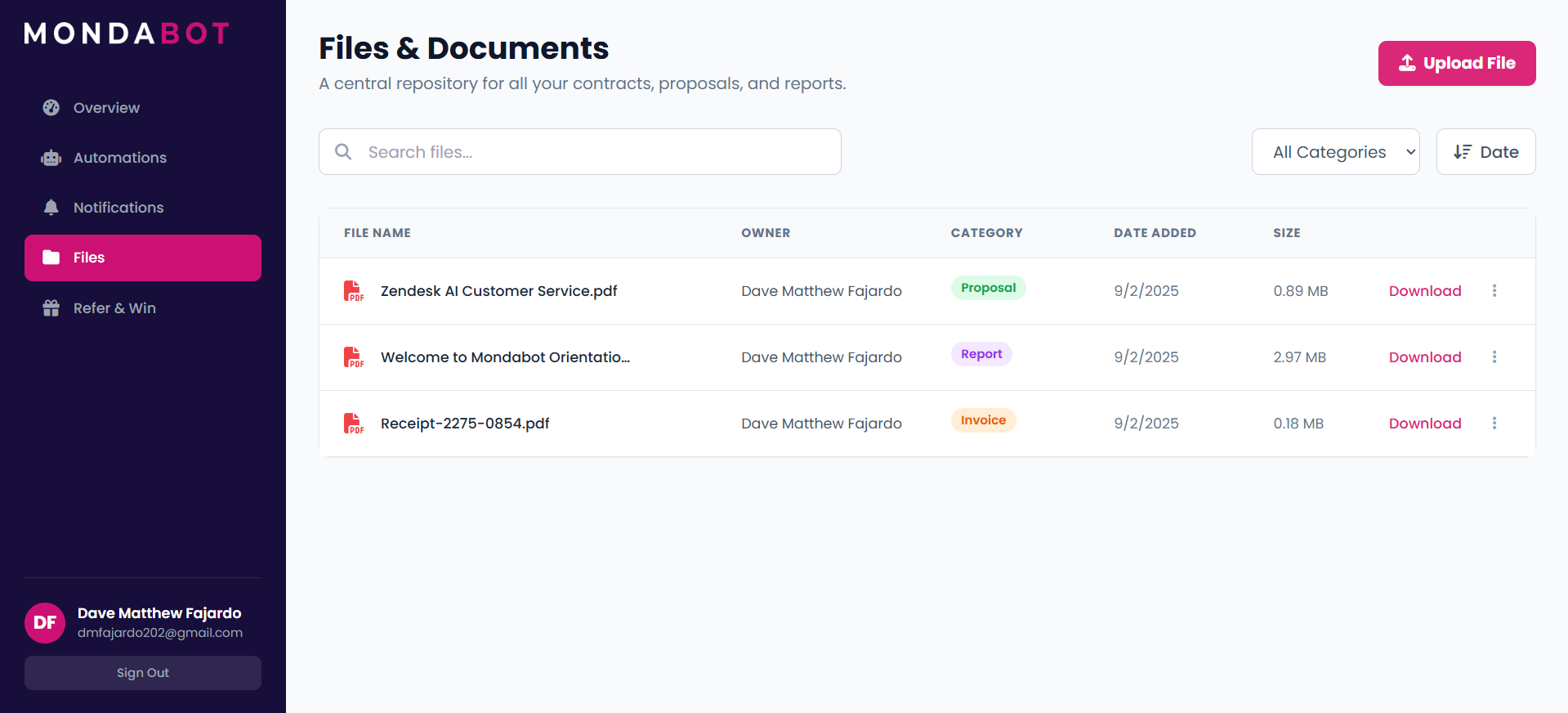
Searchable document library with categories, owners, and one-click downloads
All client files live in one secure place, powered by Cloudinary for reliable storage. Clients can:
- Search files by name
- Filter by category (Proposals, Reports, Invoices)
- Sort by date or size
- Download anytime, anywhere
- See who uploaded each file
No more "Can you resend that proposal?" emails clogging the inbox.
4. Strategic Partner Connection
The dashboard prominently features the CEO as the client's strategic partner. Clients see:
- Partner name and title
- Contact email
- Availability hours
- One-click "Schedule Strategy Call" button
This personal touch made clients feel valued, not like another ticket number.
Technical Implementation
Stack & Architecture
Frontend:
- React for the user interface
- Modern hooks and component architecture
- Responsive design for desktop and mobile
Backend Integration:
- Airtable API for data syncing
- Webhook listeners for real-time updates
- Cloudinary API for file storage and delivery
Deployment:
- Hosted on Railway for reliable performance
- Automatic deployments on updates
- Secure authentication and session management
Why This Architecture Works
I chose Airtable-as-a-CMS because:
- The CEO already used it - zero learning curve
- It's visual and intuitive - perfect for non-technical teams
- Webhooks enable real-time sync - no polling or delays
- Flexible schema - easy to add fields as needs change
The portal is just a presentation layer. All the power stays in Airtable, where the team feels comfortable.
Results: From Chaos to Professional Experience
Business Impact
Before the portal:
- Clients emailed multiple times per week for updates
- Support team spent 30-40% of time on status questions
- Clients felt disconnected from the process
- Perception: "Are these guys legit?"
After the portal:
- Follow-up emails dropped to near zero
- Support time redirected to actual work
- Clients felt in control and informed
- Key feedback: "This makes you feel like a real company. I can track everything myself."
The Numbers
- 12 active clients using the portal daily
- Zero training required - intuitive enough to use immediately
- 100% adoption rate - all clients preferred the portal over emails
- Significant reduction in "status check" support tickets
What Clients Said
The most common feedback: "Finally, I can see what's happening without always having to ask."
Clients appreciated:
- Transparency into the development process
- Professional presentation of deliverables
- Control over accessing their own files
- Feeling like they were working with an established company
Lessons Learned
Build Around Existing Workflows
I could have built a fancy admin panel or forced the team to use new project management software. Instead, I met them where they were. The CEO kept using Airtable, and everyone won.
Takeaway: The best tools adapt to people, not the other way around.
Perception Matters
The portal didn't change what the team delivered. It changed how clients experienced the delivery. Same service, completely different perception.
A clean interface + real-time updates = "professional company" in clients' minds.
Real-Time Sync Is Worth It
Building webhook integrations takes extra effort upfront. But the payoff—instant updates, zero manual work—saves countless hours and makes the experience magical for clients.
Why This Project Matters
This wasn't just a client portal. It was a business transformation tool.
By giving clients visibility and control, the company:
- Built stronger trust with existing clients
- Freed up the team to focus on actual delivery
- Created a competitive advantage (most automation shops don't offer this)
- Positioned themselves as a professional, tech-forward company
All while letting the team use the tools they already loved.
Interested in similar solutions?
Get in touch to discuss your automation needs.